Cases
A case is a piece of estate work with an owner, stages, tasks and an outcome: a request for consent to assign, a licence for alterations, a rent review, a service charge dispute, a request to film on council land. Every case has a reference such as CAS-2026-0042/DM-E01-U04: the year, a number, and the main property.
Where cases come from
- Lease events open cases by themselves ahead of the date: rent reviews and break notice deadlines nine months ahead, expiries twelve months ahead. Each case type sets how far ahead. You can also select Start a case for this event on an event's page.
- Requests and other work: select Cases, then Start a case, or Start a case on an agreement or property page. Choose the type, link the agreement or property, and record how and when it arrived.
Stages
Every case moves through the same five stages: Received, Gathering information, Assessing, Decision and Completing. Select Move to next stage as the work progresses. A case can be put on hold with a reason, and closed cases can be reopened.
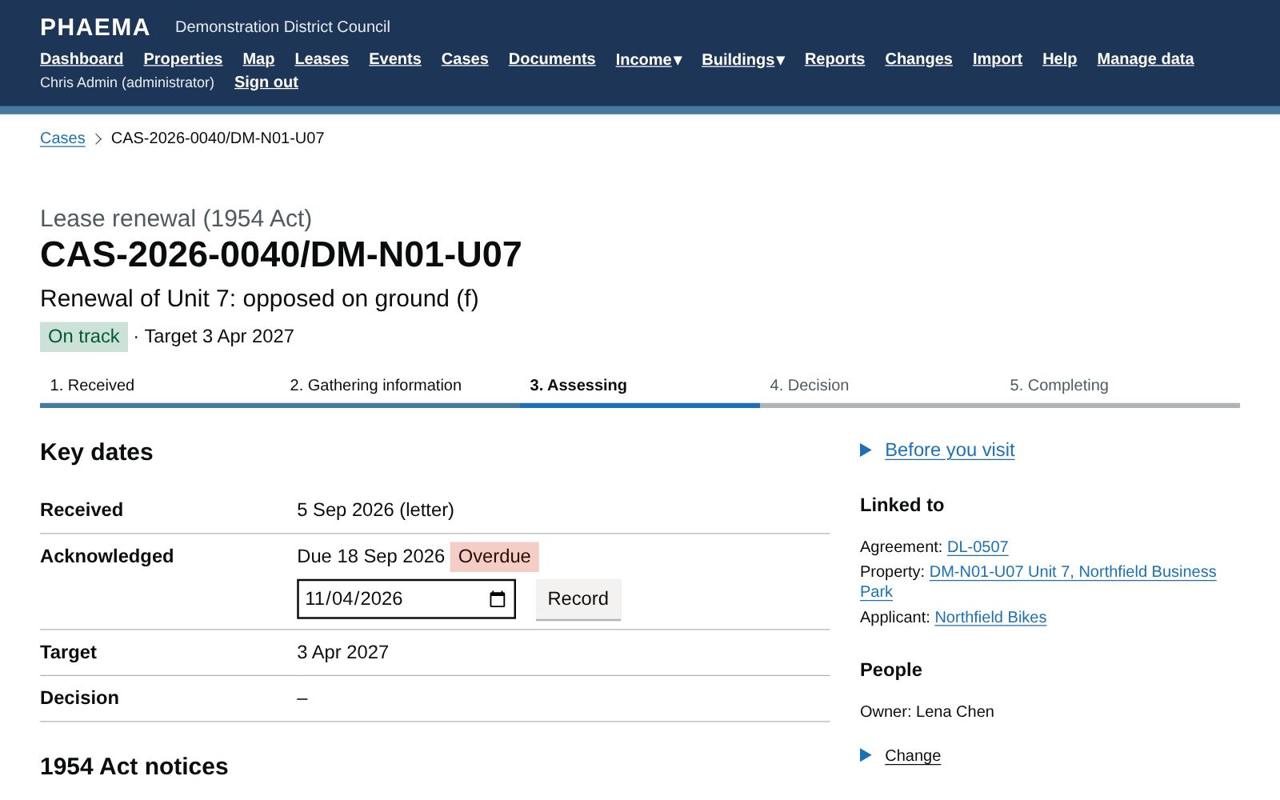
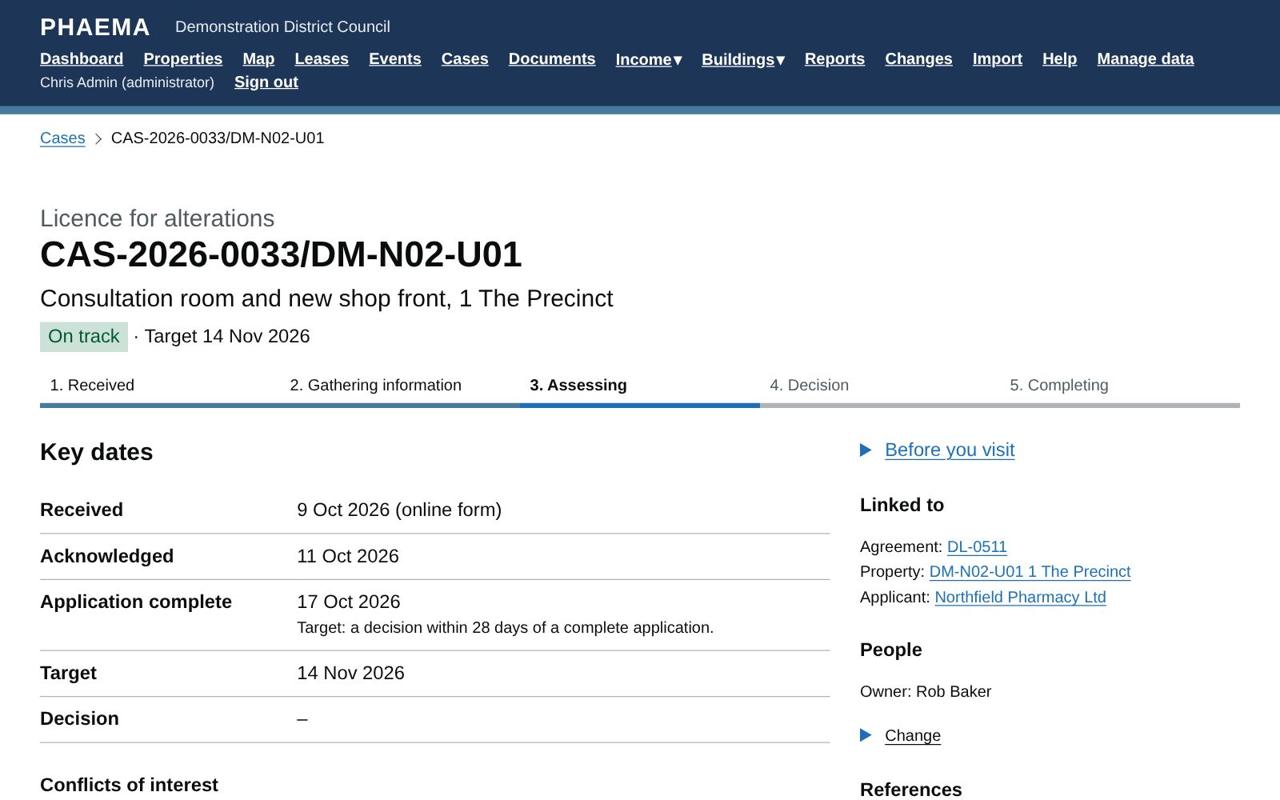 A case shows its stage, key dates and links.
Each case type comes with a task list for each stage, for example Covenant strength check and Check rent arrears on the rent account for an assignment. Tick tasks off as you go, and add your own.
Approvals
Every surveyor has a supervisor, who approves their recommendations. Most case types need the supervisor's approval before the case moves to Decision: consents, lease event cases, lease management, asset valuations, new lettings, wayleaves, land purchases and other activities. Enquiries, complaints and similar case types do not.
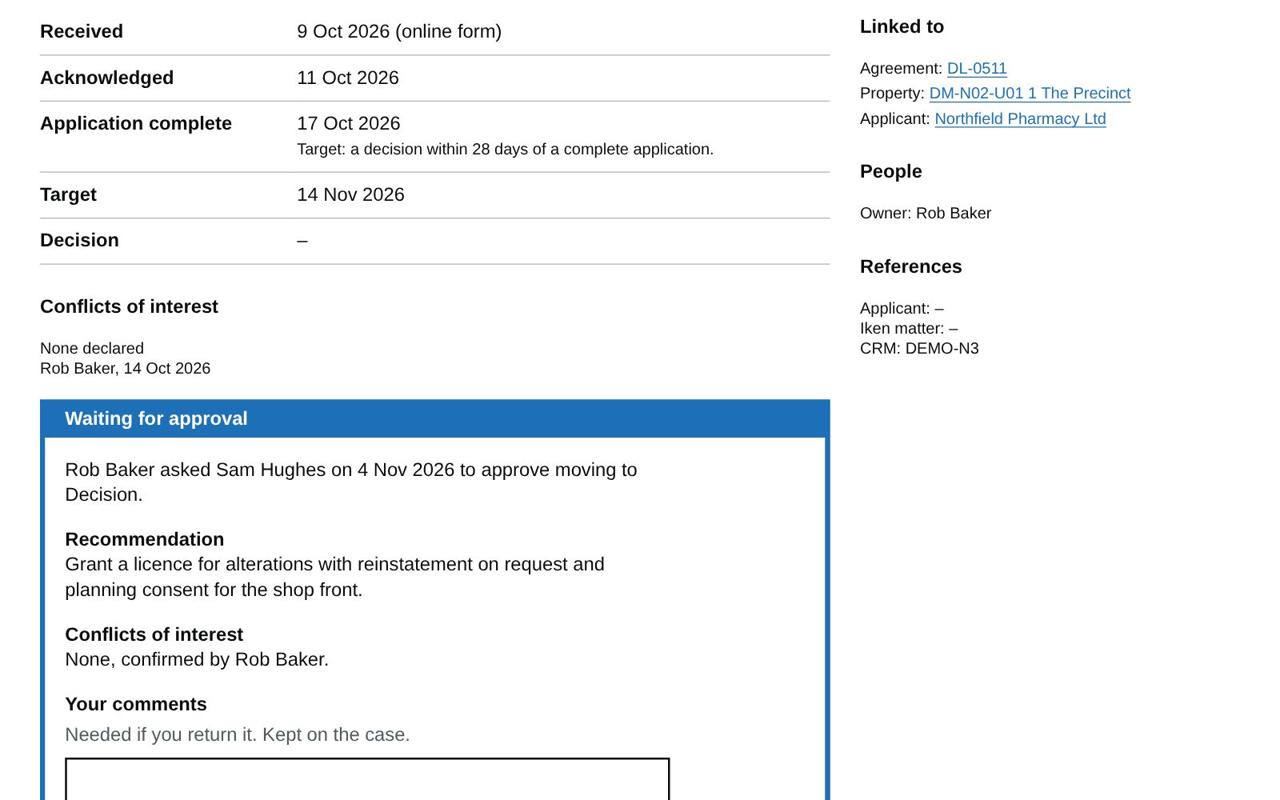 What the supervisor sees: the recommendation and the conflict declaration.
When a case reaches a stage that needs approval, Move to next stage is replaced by Ask for approval:
- Write your recommendation, for example "Grant consent to assign, subject to an authorised guarantee agreement and a rent deposit of six months' rent", and select Ask your supervisor for approval.
- Your supervisor is emailed, and the case appears under Cases waiting for your approval on their dashboard.
- They either Approve, which moves the case to the next stage, or Return with comments, which sends it back to you to revise and ask again.
Until it is approved you cannot record a decision (other than Withdrawn), close the case, or record the outcome on its lease event, such as a settled rent review. Every request, the recommendation, the decision and the comments stay in the case history, with who made them and when.
Nobody can approve their own request. If your supervisor is away, an administrator can send a waiting request to someone else, or approve it themselves. You can withdraw a request you made while it is waiting.
Administrators choose which stages need approval for each case type, under Manage data, Case types. The supervisor for each person is set on their user record (see Users and roles).
Conflicts of interest
Before asking for approval, the case owner confirms under Conflicts of interest on the case page either that there is no conflict, or declares one and says how it is managed (for example, a colleague takes over the negotiation). This follows the RICS professional standard on conflicts of interest. PHAEMA records who confirmed it and when, and the approver sees it with the recommendation.
Dilapidations
Dilapidations and lease expiry cases have a Dilapidations section for the claim: the schedule's value and the date served, the tenant's response, the settlement, the council's costs and notes. Any rent deposit held under the lease is shown alongside. The Pre-Action Protocol for dilapidations claims expects the tenant to respond within 56 days of the schedule, and the settlement is compared with the schedule.
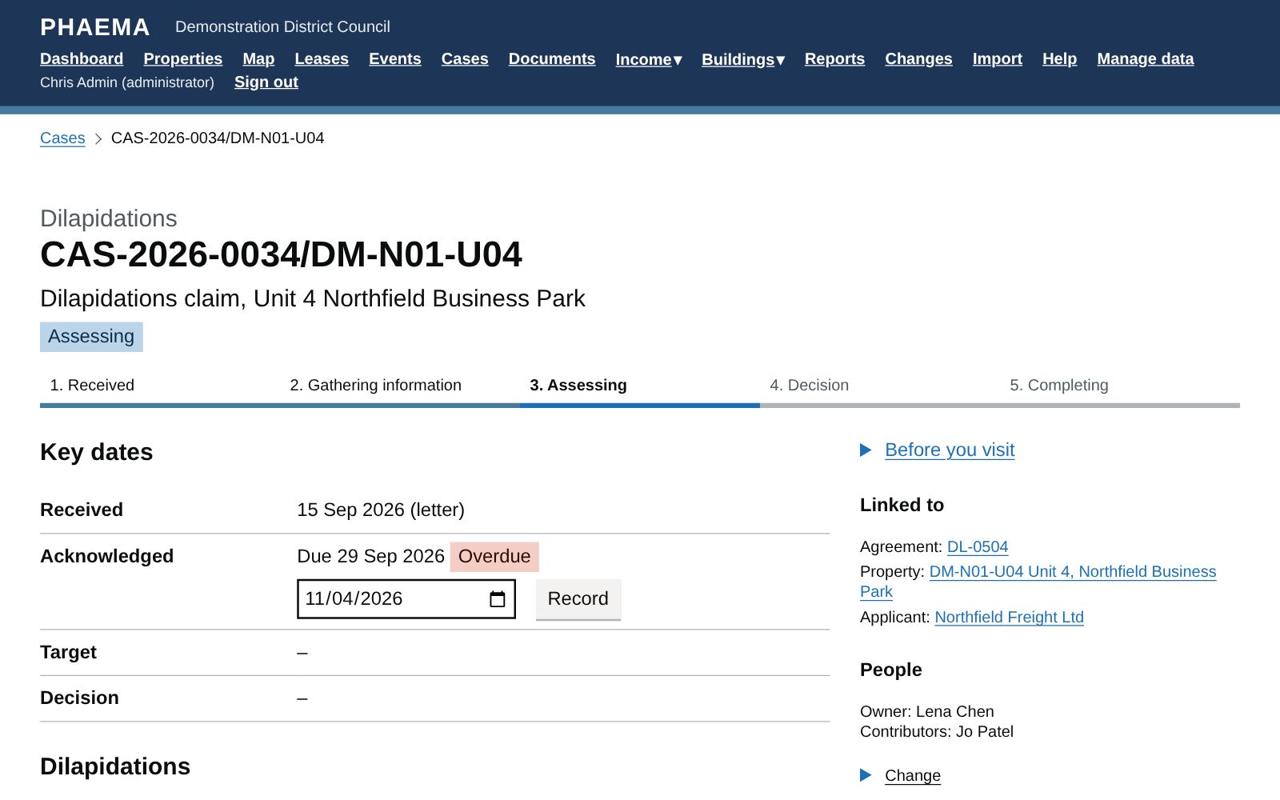 The dilapidations claim on a lease expiry.
Energy performance (MEES)
On new lettings and renewals, when the compliance module is on, PHAEMA warns if the property's EPC (or its building's, if the unit has none of its own) is rated F or G, has expired, or is missing. Letting below band E breaks the minimum energy efficiency standard unless an exemption is registered. It is a warning, not a block.
Before you visit
Case, job and valuation pages show a Before you visit panel: site hazards recorded on the property and the buildings it is part of, asbestos information, open compliance actions and whether it is a higher-risk building. This supports the RICS Surveying safely standard.
New lettings and renewals
The New letting and Lease renewal case types follow the RICS Code for leasing business premises. Their case page has a Heads of terms section listing the 16 items the Code requires, from premises and rights to fit-out and conditions. For a renewal, each item shows what the current agreement says as a starting point. Write "None" where an item does not apply.
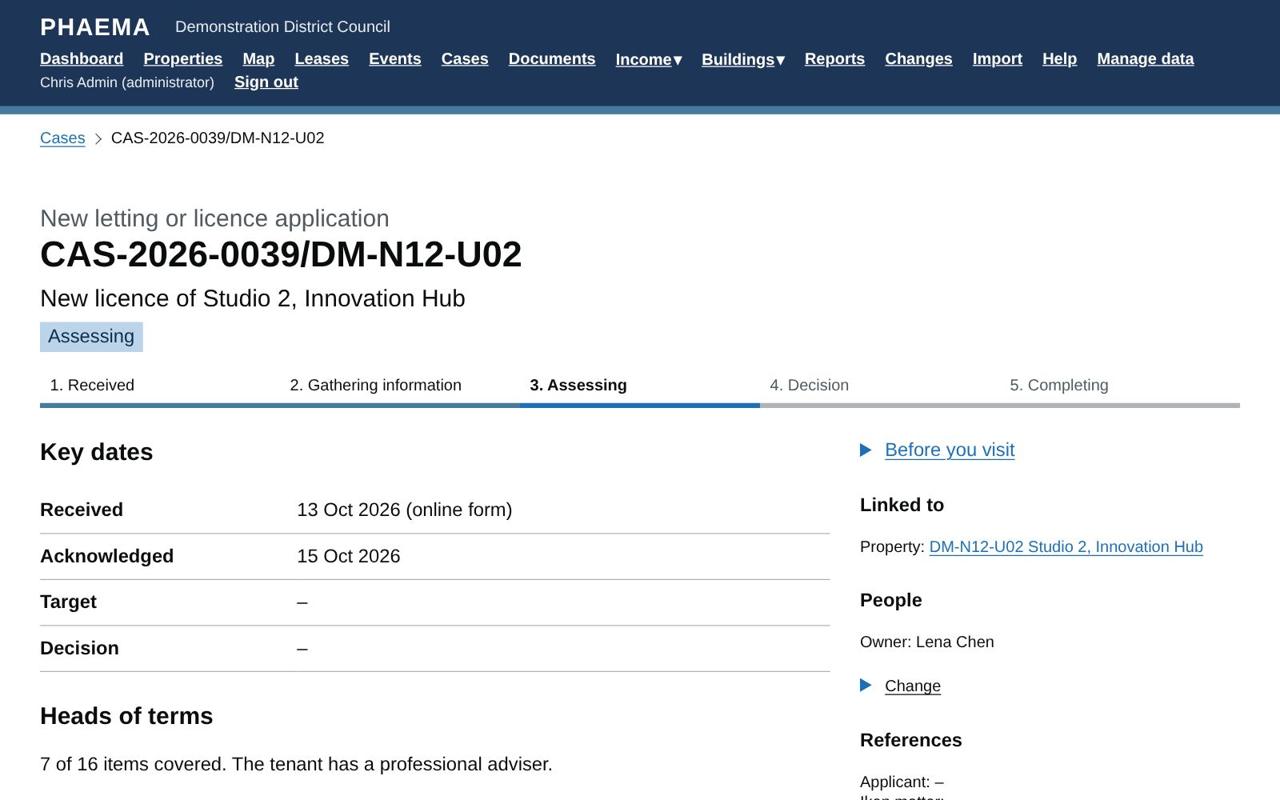 Heads of terms, counted against the RICS Code.
Record whether the tenant has a professional adviser. If not, the Code requires the council to give them the Code and its supplemental guide and advise them to take professional advice: record the date you did.
The case cannot move to Decision, or be sent for approval, until every item is covered and that question is answered. Administrators can turn the heads of terms check on for other case types under Case types.
1954 Act notices
Lease renewal cases also record a section 25 notice from the council or a section 26 request from the tenant: the date given and the date in the notice. PHAEMA then shows:
 Notice dates and the court deadline worked out.
| Date | Rule |
|---|---|
| Council's counter-notice due | Two months after a section 26 request, if the council opposes a new tenancy. |
| Last day to apply to court | The termination date in a section 25 notice, or the day before the start date in a section 26 request, unless both sides agree in writing to extend it. |
That last day becomes the case's target. PHAEMA warns if the date in the notice is not 6 to 12 months after it was given, or is before the lease's contractual expiry. Check the dates against the notice itself: PHAEMA is a reminder, not legal advice.
Dates and targets
| Date | What it is |
|---|---|
| Received | When the request arrived. For consents, the date of the written application. |
| Acknowledged | Due within 10 working days of receipt by default (weekends and England and Wales bank holidays are not counted). |
| Application complete | When everything needed to decide has arrived. The target is counted from here. |
| Target | The decision is due this many days after the application is complete: 28 days for consents by default. For lease event cases, the event's date. |
| Decision sent | When the decision letter went. |
Cases are coloured like lease events: red when past target, orange when due within a week.
Consents and the Landlord and Tenant Act 1988
For consent to assign, underlet, charge or share, the Act requires the landlord to give a written decision within a reasonable time once it has the application, with reasons for any conditions or refusal. PHAEMA records the dates that show how long the council took, and will not save conditions or a refusal without reasons. The Consent decisions: time to decision report gives the evidence for every decision in the last year.
Lease event cases
For a rent review, break or expiry, record the outcome on the lease event as before, for example the new rent. Doing so updates the lease and closes the case automatically, so nothing is recorded twice. If the case type needs approval, ask for it on the case first: the outcome can be recorded once your supervisor has approved.
Notes, emails, letters and documents
- File an email: save the email from your mail program (in Outlook, drag it to your desktop or use File, Save As, Outlook Message Format), then choose the file. PHAEMA reads the sender, date, subject and text, keeps the email, and keeps its attachments as documents.
- Log a letter, call or meeting, with a scanned copy if you have one.
- Add a note. Tick Confidential for anything sensitive: only the case owner and administrators can see it.
- Add a document: PDFs, images, Word, Excel, text or CSV files up to 25 MB.
People
Each case has an owner, normally the managing surveyor of the property. Add contributors, such as the council's legal officer, who can add notes, documents and correspondence to that case but change nothing else (see users and roles). Record the Iken matter number when legal is instructed.
Fees
A case type can have a fixed fee, set by an administrator in Manage data, then Case types. On the case, an administrator selects Charge the fee to the tenant, which raises it on the tenant's rent account as an invoice that goes to finance with the next export.
Case types
PHAEMA starts with about 30 case types in seven groups: landlord's consents, lease events, lease management, income recovery, asset valuation, land and property enquiries, and Other activities for anything else, such as hoardings, filming or events. Administrators can change any type (its tasks, targets and fee) or add new ones in Manage data, then Case types.
Reports
The ready-made Cases reports show open cases by stage and owner, cases past target, consent decisions with the days taken, and cases closed in the last year. Cases can also be used in your own reports, and every change to a case is in the change log.
Worked example
Northfield Pharmacy (DL-0511) asks to add a consultation room and a new shop front at 1 The Precinct.
- Rob Baker opens a Licence for alterations case from the agreement, received online. He records the acknowledgement two days later.
- The drawings arrive and he records Application complete: the target becomes 28 days later.
- He ticks off the tasks, confirms under Conflicts of interest that there is none, and moves the case to Assessing.
- He writes his recommendation, "Grant a licence for alterations with reinstatement on request and planning consent for the shop front", and asks Sam Hughes for approval.
- Sam sees the recommendation and the conflict declaration on the case and on his dashboard, and approves. The case moves to Decision; Rob records the decision and creates the consent letter from the document library.